Sending secure emails doesn’t have to be complicated.
When we created MailHippo, our goal was to remove the complexities associated with sending encrypted emails containing patient health information (PHI). With that in mind, we designed the platform to simplify the process of both sending and receiving emails with encryption.
Here’s how to send a HIPAA-compliant email:
Sending HIPAA-Compliant Emails
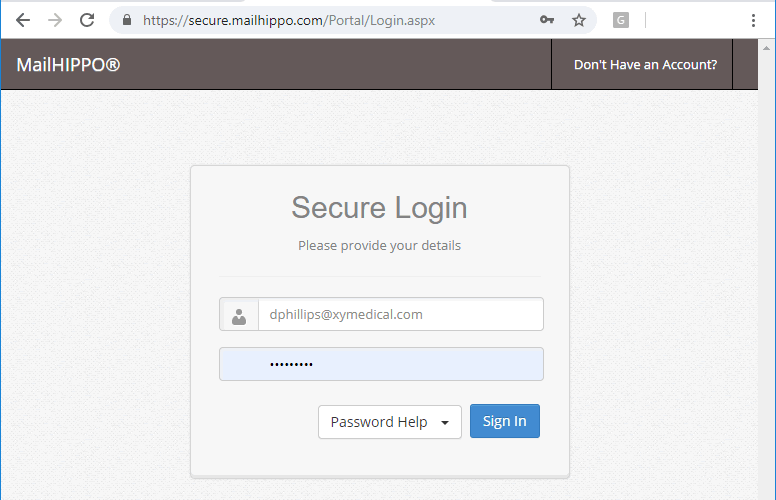
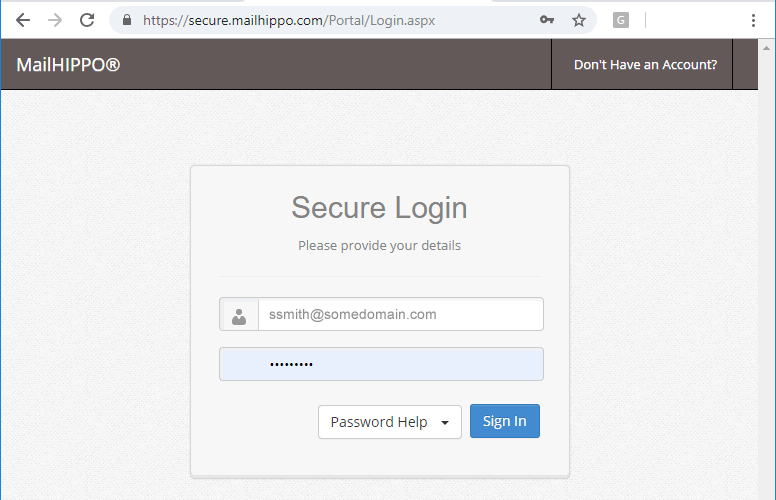
Login
Sender logs into the MailHippo web portal from a computer or smartphone.
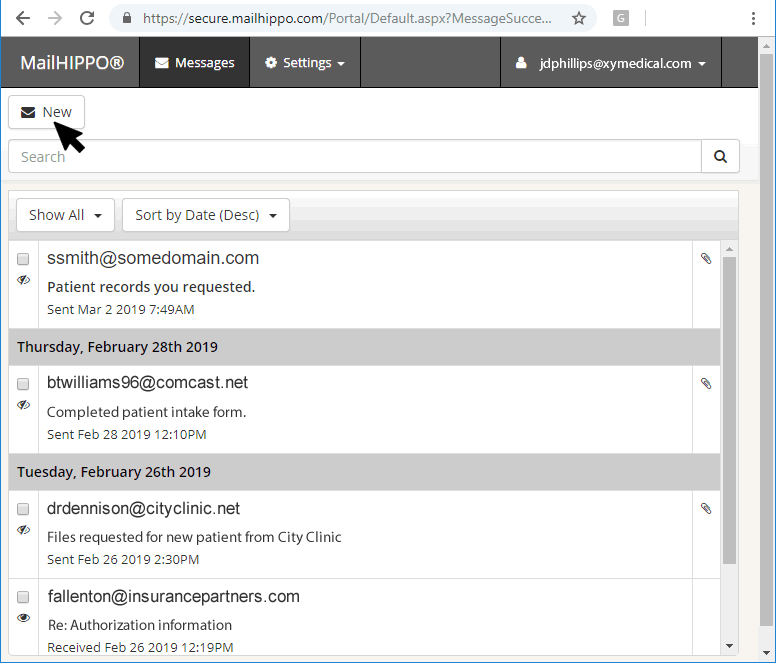
Create a Message
Sender clicks on the New Message button within the MailHippo portal.
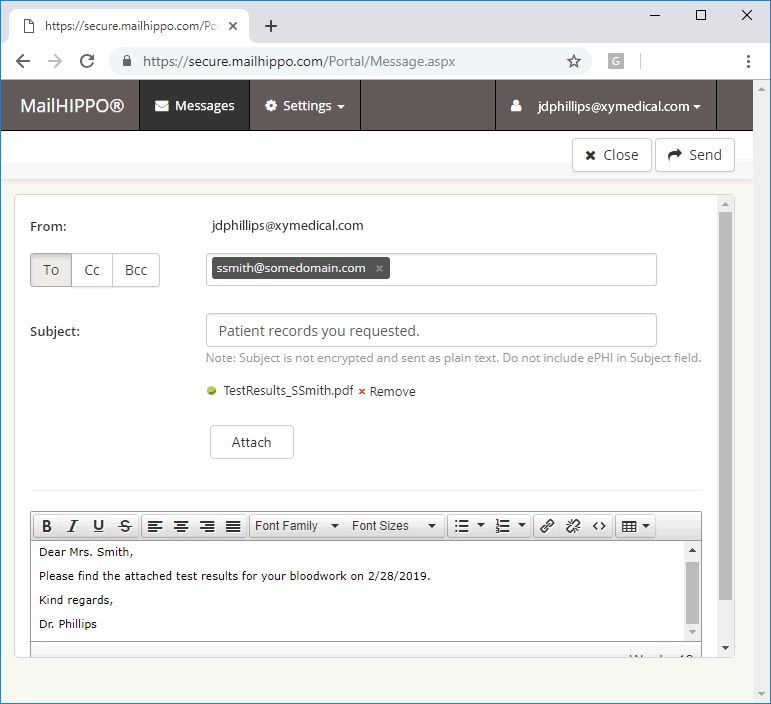
Compose and Send
Sender keys in the recipient's email address and email subject. Select any attachments by clicking the Attach button. Type email body. Click the Send button.
That’s all there is to it! Now you know how to send fully encrypted, HIPAA-compliant emails in three easy steps—all from either your workstation or smartphone.
Receiving a secure email message
Sending HIPAA-compliant emails looked pretty easy. What about for the recipient? Here’s how that works:
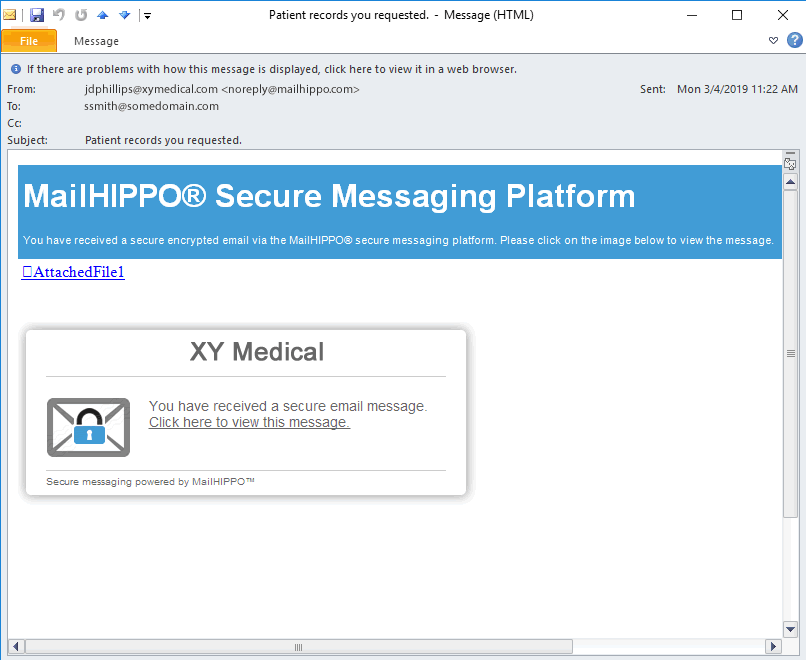
Notification of a Secure Message
MailHippo sends a notification to the recipient via email. (First-time recipients are sent an additional email with a temporary MailHippo password.)
Login to Portal
The recipient clicks on the body of the secure message. The MailHippo portal opens in the recipient’s browser, just as you saw earlier in the tutorial on how to send HIPAA-compliant emails.
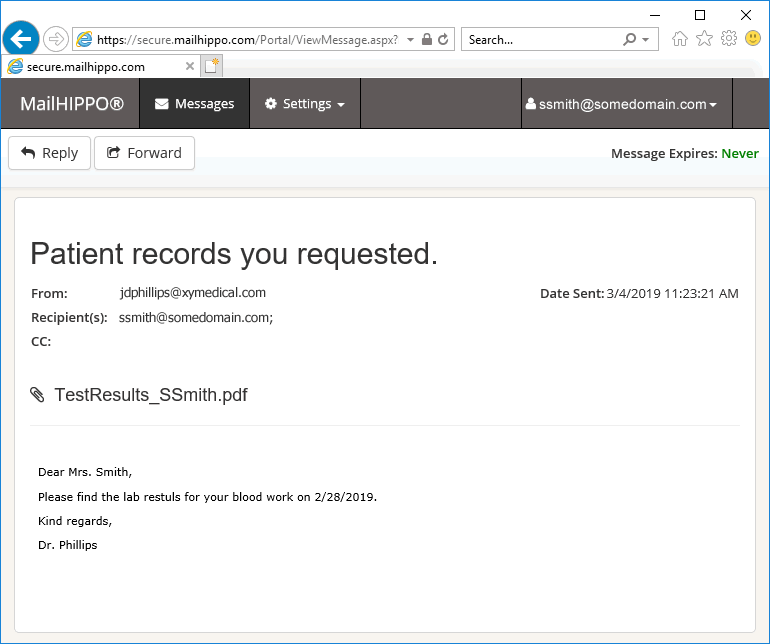
View Secure Message
Once the recipient logs into the portal, the secure message is displayed. A recipient has the option to reply, securely, back to the sender.
Now it’s easier than ever to receive fully encrypted emails! And, just like sending emails, you can do it all from your workstation or smartphone. It’s so simple!
We hope this example helps illuminate how to send and receive HIPAA-compliant emails using MailHippo’s secure email platform, and how easy it is for anyone to use.
There are some other distinctive features included with the MailHippo platform not illustrated above:
Auto type-ahead address book
As you type, emails that have been used in the past will auto-populate in the To:, CC:, and BCC: fields. This provides quick access to frequently used emails without having to retype the entire email address over again.
Message preview
Once a recipient authenticates with the MailHippo platform, the body of subsequent email messages will display automatically in their email client while they remain authenticated. This feature comes in handy when frequently sending HIPAA-compliant emails to a given recipient.